ZAMZAM
Bluetooth V5.4 Earbuds Compatible with Infinix Note 50x Advanced ANC Noise Cancellation, IPX8, 48Hr Use, Charging Digitial Display Case 100Day Standby 250138
Bluetooth V5.4 Earbuds Compatible with Infinix Note 50x Advanced ANC Noise Cancellation, IPX8, 48Hr Use, Charging Digitial Display Case 100Day Standby 250138
Couldn't load pickup availability
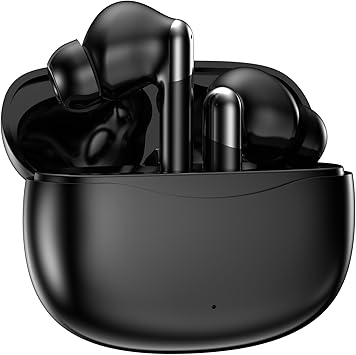
Black Round Style of Wireless V5.4 Bluetooth Earbuds Compatible with Infinix Note 50x with charging case for In Ear Headphones.)
Includes Convenient Charging/storage case for earbuds, TWO different size earbud tips (small, large), user manual and USB-C Charging Cable.
FEATURES:
Uses the new Wireless Version V5.0 technology to provide a more constant stable connection with less power consumption.
Noise-isolating earbuds deliver high-quality sound and built-in dual microphones deliver clear communication between you and your caller.
Voice notifications inform you when there is an incoming call, battery level and when earbuds are paired with your device.
Multifunctional button on both earbuds allows you pause music, answer/reject/hang up a call and activate voice notifications.
Internal rechargeable Lithium Polymer battery offers up 4 hours of talk time, 6 hours of music and 150 hours of stanby time.
Also certified that this is compatible with many other smart phones, laptops, computers, tablets other headphone upgrades.
INSTRUCTIONS:
Remove earbuds from charging case, they will automatically power on, a blue light will indicate this.
Wait for the prompt "Pairing, Left Channel, Right Channel," and this confirms they are synced
Go to the bluetooth list connection on their list and search for "YW08"
Click to connect, and both Earbudes will flash blue every 8 seconds indicating a connection